
 souvik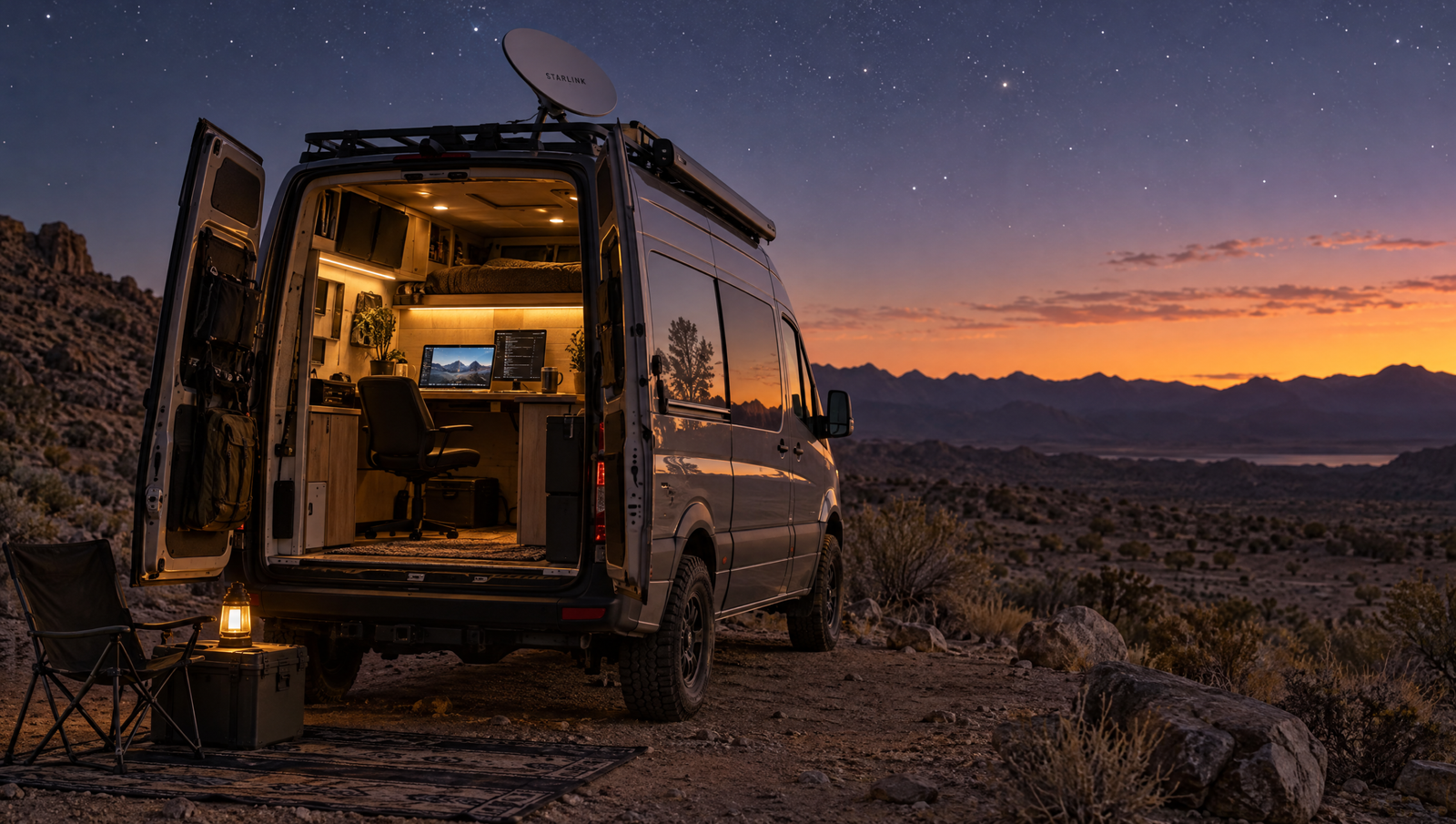
Starlink for Camper Vans 2026: Plans, Setup, Power Needs and Mobile Office Vans
Cell signal vanishes where the best camping is. Starlink fixes that, but you need:
- A clear view of the sky
- A power budget
- A mounting plan
- The right data plan
Short answer: Use the Starlink Mini with a Roam plan and a 200Ah+ lithium battery. Expect about $200–$250 for the dish and $50–$175 a month, no long-term contract.
Starlink hardware for a camper van
| Dish | Power draw | Size | Best for |
|---|---|---|---|
| Starlink Mini | ~20–40W | Compact, built-in router | Most camper vans |
| Standard dish | ~75–100W | Larger, separate router | Long stays, big battery |
Current specs and prices: Starlink.
Starlink Roam plans explained
| Plan | Data | Best for |
|---|---|---|
| Roam 100GB | 100GB priority | Email, messaging, weekends |
| Roam 300GB | 300GB priority | Daily video calls, cloud work |
| Roam Unlimited | Unlimited | Full-time, multiple users |
- Pause and restart any time in the app.
- Plans and prices change — confirm before buying.
How much power does Starlink use?
- Mini, 10 hours/day: ~300Wh
- Standard, 10 hours/day: ~900Wh
- Laptop and phone: ~100–200Wh
- 12V fridge: ~300–600Wh
A 200Ah lithium bank stores about 2,500Wh. Go 300–400Ah for a Standard dish. Monitor draw with Victron Energy gear.
Mounting and installing Starlink
- Clear sky — avoid trees and buildings.
- Skip roof holes — use a rack or pole mount.
- Keep it removable — stow inside, set up when parked.
- Route cables cleanly — sealed pass-through only if needed.
- Power it safely — correct 12V supply or inverter, fused.
Choosing a base? See Mercedes camper vans and Sprinter vs Transit.
What Starlink costs in a camper van
- Dish (Mini): $200–$250
- Mount and cabling: $50–$200
- Power upgrades: $300–$1,500 if needed
- Monthly plan: $50–$175
Annual running cost
| Usage | Typical annual cost |
|---|---|
| Weekend traveller (4 months, 100GB) | $200–$250 |
| Remote worker (12 months, 300GB) | $900–$1,000 |
| Full-time (12 months, Unlimited) | $1,900–$2,100 |
See the full picture on our payment calculator.
Starlink vs the alternatives
- Starlink — off-grid, public land, weak cell areas. Find land at BLM or Recreation.gov.
- Cell hotspot or booster — cheaper and low power, best near towns.
- Both — cell as primary, Starlink as backup for work-critical setups.
Test real speeds with Speedtest.
Best layouts for working with Starlink
- Full-time remote? Mobile office vans
- Standing room? Sprinter or Transit listings
- Two workers? Camper vans for 2 people
- Bathroom? Vans with interior shower
- Premium finish? Luxury camper vans
Common Starlink mistakes
- Small battery — a dish all day needs real capacity.
- Parking under trees — causes drops.
- Too much data — start low, upgrade later.
- Unneeded roof holes — leaks cost more than a bracket.
- No cell backup — storms and trees can interrupt satellite.
Is Starlink worth it in a camper van? A straight answer
Yes, if you:
- Work from the road
- Camp far from cell towers
- Need reliable video calls and uploads
No, if you:
- Take occasional weekend trips near towns
- Rarely need more than messaging and maps
- Have no spare power capacity
Want it pre-installed? Browse camper vans for sale.
Frequently asked questions
Does Starlink work in a camper van?
Yes, with a clear sky view and enough battery power.
Which Starlink is best for a camper van?
The Mini — compact, low power, built-in router.
How much power does it use?
Mini: about 20–40W. Standard: about 75–100W.
How much does it cost?
About $200–$250 for the Mini and $50–$175 a month. Confirm on Starlink’s site.
Can I use it while driving?
On supported plans, yes. Check current terms first.
Can I pause it?
Yes. Pause and resume in the app.
Where can I find a van with Starlink set up?
Browse mobile office vans and compare power systems before contacting sellers.